 Clinical Communication & Collaboration
 Medical Answering Service
 Provider & Staff Scheduling
 Healthcare Operator Console
 Integrations
 Features
Report
Learn how PerfectServe's rules engine makes care team collaboration easier.
Read Now >>TABLE OF CONTENTS


Your legacy hospital switchboard technology is good enough. And replacing it would be far too much of a lift. It can wait until next year … right?
While hospitals don’t tend to give clinical communication software the same priority as, say, the EHR, sticking with a dated switchboard still carries real, often overlooked costs. You’re paying for extra IT staffing, ongoing maintenance cycles, physical servers, and unplanned downtime. You’re also absorbing an avoidable security risk.
And the impact isn’t limited to IT. With a legacy system, your 10-year veteran operator may know every workaround, but new staff have to wrestle with steep learning curves and confusing workflows that often slow them down. That contrasts with newer, cloud-based systems that give you the flexibility to centralize or distribute your operator team and reduce training and onboarding time thanks to much more intuitive interfaces.
When you put all of that together, the price tag for the “good enough for now” approach starts to look a lot more expensive.
To understand where the potential for the biggest gains really sits, let’s take a closer look at the day-to-day operational burdens imposed by out-of-date hospital switchboard systems.
Working with on-prem communication tools used to include significant cost savings. Because all calls were handled internally, you saved on things like network costs.
Today, the calculus is different because the cost for voice connectivity has come way down. Cloud-based systems are far less expensive than the infrastructure, cabling, servers, and staffing required to maintain an on-prem solution.
And that’s before you start to look at the costs associated with upkeep of a legacy system:
Maintaining an on-prem comms platform gets expensive fast
“When you buy an on-prem system, you’ve got a capital outlay of cash for the software, for the hardware, for the service to implement it,” explains Sean Collins, a VP at PerfectServe with over 20 years of experience in the operator console, on-call, and mobile communication space. “And then every year you’ve got a maintenance cycle. That’s usually 18-20% of the overall software that you purchased year over year.” Over the life of the system, the total for that extra maintenance bill is likely to be hundreds of thousands of dollars.
And these maintenance cycles aren’t just more expensive with a legacy system—they’re also far more onerous for IT to manage. Sean explains that, especially in communication IT, the platforms are heavily interconnected, which means every connection needs to be retested every time a new upgrade comes out.
Plus, the money you invest in maintaining an old communication infrastructure doesn’t go very far. With a legacy system, maintenance mostly amounts to break-fix work. There’s no ongoing partnership because the vendor isn’t inside the system. It sits entirely within the hospital’s own infrastructure, meaning that your own IT team has to invest significant time servicing the system themselves.
Cloud customers experience the opposite. Fixes are handled proactively by the vendor, who’s inside the environment every day, so your IT team doesn’t need to be so hands-on.
Upgrades are an expensive, time-consuming hassle
Upgrading legacy platforms is a significant headache. Every 3 years or so, you can expect a major overhaul of the entire system, which takes up lots of IT time and server capacity. And you’ve also got real time pressure, as vendors set firm end-of-support dates for the system version they’re sunsetting. No wiggle room.
The problem compounds if you’re relying on multiple systems to handle internal communication—very common if you’ve built up your comms stack over time. Now, you’re managing and monitoring 3 or more different systems, juggling repeated update cycles, and making sure the platforms continue to work together every time.
When you switch to a cloud-based platform, upgrades no longer require that heavy lift. As Sean puts it, “There’s no downtime, there’s no big event, there’s no planning like, ‘Geez, I’ve got to go buy 3 more servers because I’ve got a very heavy software upgrade to take place.’”
All that effort is taxing, both financially and operationally. When IT teams spend their time propping up multiple legacy systems, each with its own integrations, codebase, and upgrade cycle, innovation can’t help but slow down. Your time and money are spent keeping the wheels on, not moving the organization forward.
A cloud platform removes much of that burden. Instead of repeatedly justifying upgrades or patching aging infrastructure, teams can redirect that time and budget into higher-value improvements.
That’s why legacy tools don’t just create day-to-day inconvenience—they actively limit your hospital’s ability to prepare for and adapt to the future, creating issues like:
More downtime
Cloud-based technology tends to be more resilient than on-prem tech. For instance, if a natural disaster takes out the power or causes flooding at one location, a cloud solution can allow staff at other locations to instantly take over calls and sustain operations, instead of being taken off-line.
Sean notes that even planned downtime for major upgrades can be a real issue. If you’re using a legacy system, then you’re still requiring your IT staff to travel on site and manage the cutover under pressure. And despite careful planning, some detail is almost always missed.
Sometimes it’s a small configuration error; other times it’s something far more consequential—the kind of mistake that gets the CFO or CIO pulled in because a critical function broke. Or the kind of error with real clinical implications, like a physician missing critical patient messages because the upgrade broke a workflow.
Greater security risks
Healthcare organizations are a top target for cyber attacks. This means that on-prem providers have to roll out patches frequently, increasing the likelihood of downtime.
PerfectServe’s Chief Innovation Officer, Ben Moore, explains that cost-cutting in hospital IT often leaves teams stuck on older, unsupported versions. When that happens, they become effectively orphaned—unable to upgrade without breaking something else in the stack. In those cases, Ben cautions, a single ransomware incident can cascade into a full hospital outage.
Trickier integrations
Any hospital communication tool needs to integrate effectively with other hospital systems, including:
If you’re using a traditional call center platform, it’s very unlikely that it will integrate well with all of these disparate systems. For starters, on-prem solutions aren’t designed to integrate and partner with other call center technology. Instead, their priority is often to lock you into their ecosystem, making it harder to bring in and integrate new technologies as your needs evolve.
This lack of flexibility also limits what you can do with more advanced capabilities. Effective automated routing, for example, increasingly depends on modern AI—but AI only works when it can tap into clean, connected data across your broader stack.
Cloud-based vendors can integrate with innovative partners to adopt new capabilities quickly, but legacy vendors tend to either close you off from those opportunities or don’t have the technology that makes integrating easy. Instead of becoming more efficient, your team ends up compensating manually for the system’s limitations.
Less scalability
Facilities often accumulate multiple versions of their legacy comms system over time, each one requiring its own maintenance, patching schedule, and upgrade path. Instead of centralizing effort, the work multiplies — and so do the costs.
When you want to expand capacity, on-prem architecture forces you into inefficient choices. Scaling a legacy system typically means adding more hardware and hoping the configuration will hold up under pressure. There’s an inherent element of guesswork. You can’t spin up a new environment to test integrations, pilot a feature, or model future demand. And because everything is tied to physical infrastructure, adjustments that should be simple become complex and costly.
Cloud systems, by contrast, give you the flexibility to grow, consolidate, or experiment without replatforming or rewriting the underlying architecture. They remove the hardware constraints and support continuous iteration — essential when communication workflows need to evolve quickly.
A move of this scale requires careful planning and alignment across IT, operations, and clinical leaders. Once you’ve committed to the transition, these early steps help build the foundation for a successful migration:
Start by assembling a cross-functional group that can champion and stress-test the project from every angle. That means pulling in IT, telecom, security, your switchboard team, and the clinical leaders your operators work with every day.
Duncan Harris, a product management leader at PerfectServe with a decade of experience in operator console technology, stresses that clinical buy-in is non-negotiable: “With any platform change, there will be some adjustment to workflows,” which is why you need representation from those groups whose day-to-day work will be most affected.

Before you touch workflows or integrations, you need clarity on what the organization actually values in an operator system. Ben recommends that you talk to every director-level and C-level stakeholder to understand what’s working with your current system, what isn’t, and where a new platform could provide the biggest lift.
These conversations give you the raw material to define your value statements. In a healthcare environment where every investment and every initiative must have crystal clear ROI, outlining project outcomes is foundational. Only then are you ready to translate those priorities into workflows, and eventually, into the technical integrations that will support them.
Legacy operator systems often hold decades of accumulated directory data, much of it business-critical and highly customized. That’s why the data migration plan has to start early, says Ben.
The best approach is to begin migrating data at the very start of the project and run iterative checks along the way. Your vendor should work with you to pull the data over, validate it, and let teams review it inside the new system. That way, by the time you reach go-live, multiple departments will already have been inside the platform, running tests and building familiarity, dramatically reducing your risk and smoothing the transition.
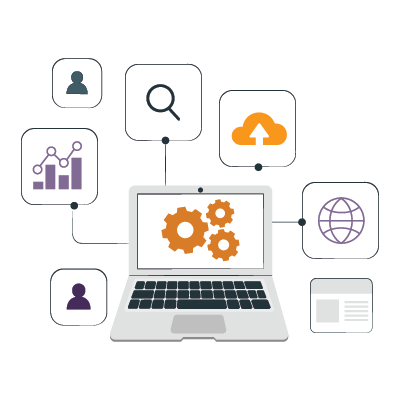
Operator workflows are often central to a hospital’s most time-sensitive scenarios—STEMI, stroke, code blue, trauma, and the long list of clinical codes that must be triggered quickly and reliably.
When you migrate off a legacy system, the temptation is to rebuild everything exactly as it was. But an upgrade is the ideal moment to reassess how these workflows actually function and how to make them easier for operators to execute under pressure. Look for opportunities to eliminate unnecessary steps, remove points of failure, build in necessary backups, and otherwise line up your workflows with how your hospital needs to function today.
It’s also a chance to fix long-standing inefficiencies, embrace new innovations, and reduce the operational burden on your IT team and call center staff. Legacy systems limit what your hospital can do and slow your ability to adapt to new demands. Moving to a cloud-based solution will save you time and money while also ensuring critical communication never falls through the cracks.
If you want a future-ready clinical communication platform that supports faster, more reliable workflows, you already know it’s not an overnight change. Talk with the PerfectServe team for a tailored conversation about how much your legacy solution costs and where there’s room to streamline.
 Organizations
 Roles
Roles
 Blogs
Blogs News
News Case Studies
 Downloads/Reports
 Events
 Videos
 Company
 Careers
 Why PerfectServe
 FAQ
FAQ Nurses of Note
 Best in KLAS