





How to Replace Google Sheets with Automated Provider Scheduling

Executive Summary
Challenges
- Manual provider scheduling in Google Sheets
- Difficult to balance shifts across 26 providers
- Frequent schedule changes and call disruptions
- Limited schedule visibility
Results
- Saved 5–10 hours per month
- Generated schedules up to 1 year in advance
- More than 300 schedule changes automated annually, including PTO requests and shift swaps
- Improved provider satisfaction and schedule transparency
Summit Cancer Care has offered oncology and hematology services to Southeast Georgia communities for over 40 years. For the last several years, they used Google Sheets to build their hospital call and clinic schedules. The process took far too long and regularly produced less-than-ideal results. When Alex Sandberg joined the organization as CEO in 2022, he knew it was time for a change.

Google Sheets Worked — Until It Didn’t
For an oncology practice with 9 physicians and 17 APPs, building schedules by hand had become a major source of frustration. The manual process took roughly 5 to 10 hours each month. Every provider call-out or PTO request triggered a full schedule reshuffle, followed by time-consuming notifications to business partners—including PSA teams across hospitals and the practice’s call service—to ensure everyone received the new version.
Once Summit Cancer Care made the switch to Lightning Bolt, scheduling became significantly easier. The new process saves Alex hours each month, equalizes shift distribution, reduces contact disruptions, expands schedule visibility, and gives providers more autonomy over their lives.
Before & After
Before
Equitability Was Hard to Achieve
Alex did his best to distribute shifts as fairly as possible by hand, but as the practice grew, accounting for the preferences of 26 providers and balancing them with organizational requirements to build schedules became unsustainable.
After
Balanced Workload In a Few Clicks
Lightning Bolt automatically calculates the best possible schedule, factoring in provider work locations, care team preferences (using linking rules to pair specific APPs and physicians), shift equitability, and PTO requests. It can also account for specialized shifts like late call for APPs at certain locations to properly balance the workload.
In just minutes, Alex can generate a year-long schedule—any changes that happen after the fact are reflected in real time. He noted that "90% of the schedules are correct through auto-generation." When adjustments are needed— typically for annual PTO requests—he can make updates in just a few minutes.
Before
Short Schedule Runway
With Google Sheets, Summit providers could only view their schedules one month in advance. Managing all of the variables at play—PTO requests, a desire to equalize distribution, and individual provider preferences—was a complex process that made it difficult to build schedules out any further.
After
Transparent Year-Long Schedules
With a full-year schedule published in advance, everyone is aware of call weeks and hospital assignments much sooner, making it easier for providers to plan their lives around their work schedules.
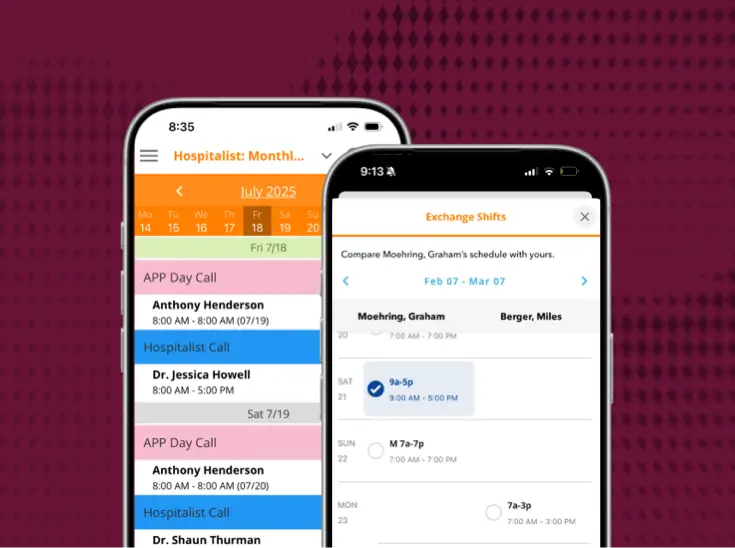
Today, the real-time schedule is easily accessible in the Lightning Bolt app. A public web-based link is also viewable, and it does not require a login or license to view. For users who need notifications or editing capabilities, accounts are created so they receive updates and can make appropriate changes.
Before
You are Your Own Support System
Google Sheets is not a dedicated scheduling system with built-in support. That meant Summit was completely on the hook for everything related to scheduling, from build to ongoing maintenance and distribution.

After
Strong Support Partnership
As a purpose-built provider scheduling platform, Lightning Bolt comes with 24/7 support, including a dedicated technical consultant. The Summit team sings the praises of their consultant, who, in their words, has been “super amazing,” “knowledgeable,” and “strategy oriented.” In addition to providing real-time support and troubleshooting assistance, the consultant also does an annual review of rules with Summit to identify what’s working, what needs improvement, and where they might be able to implement some new scheduling workflows. This robust support infrastructure makes PerfectServe an active and responsive partner in Summit’s scheduling success.
Before
Limited Provider Autonomy
Alex wanted to give the team more flexibility and autonomy over their shift preferences, but a manual scheduling process made it hard to accommodate everyone’s wishes. PTO requests were submitted verbally or through email, which triggered frequent schedule updates and additional administrative work.
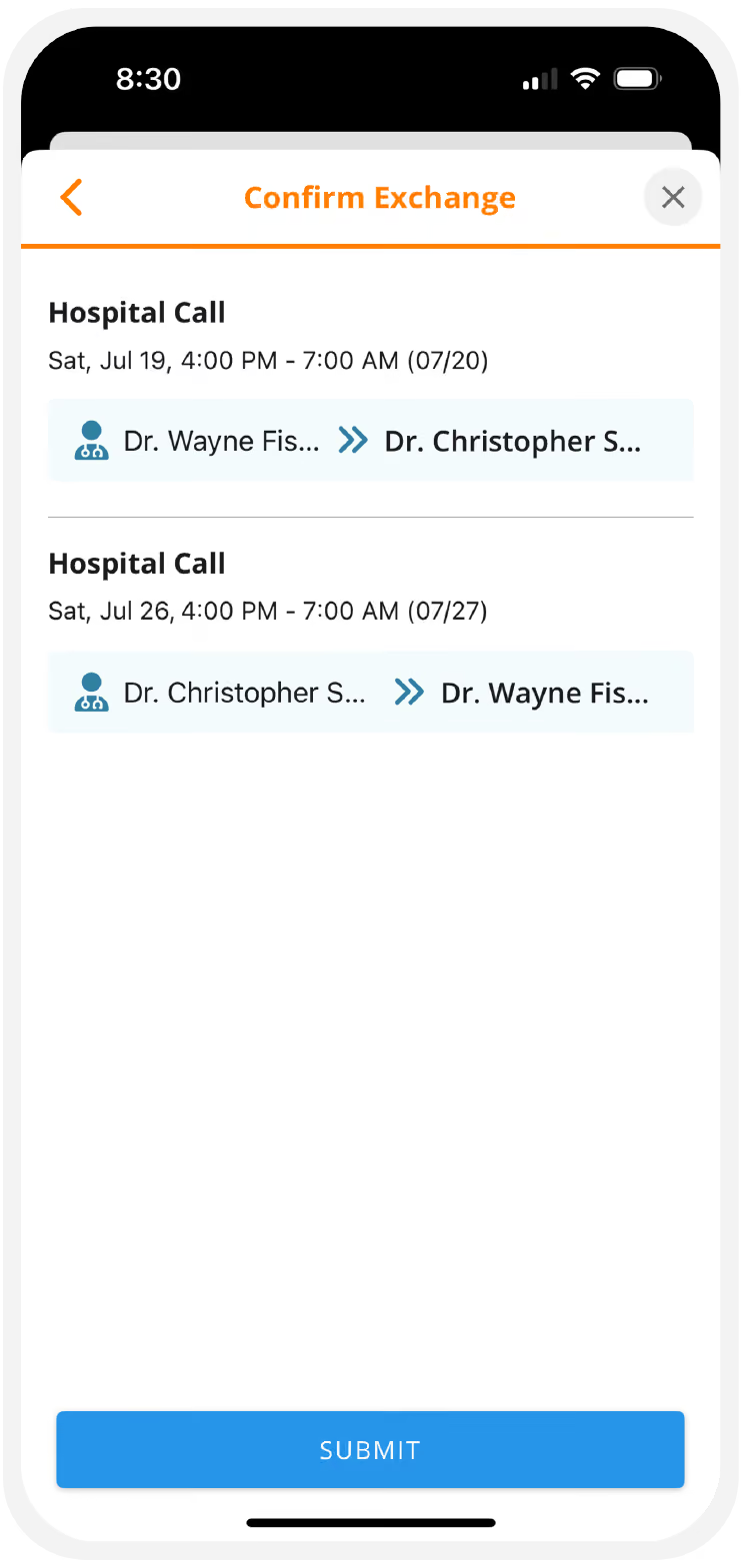
After
"Swaportunities" Offer More Flexibility
Lightning Bolt’s built-in “swaportunity” functionality allows providers to quickly swap shifts as needed. Alex describes this functionality as a "game changer for managing night and late calls."
All providers can request swaps, but because schedules for APPs tend to have more variance across shifts, they typically use swaps more often. These are predominantly 1:1 changes, meaning a specific swap between providers, versus a blanket "swaportunity" from a provider who can no longer cover a shift and puts out a call to any staff who might be able to pick it up.
Once a swap is approved, the schedule updates in real time with no manual intervention required. Alex doesn’t have to track PTO or swap requests, and providers are automatically notified as soon as changes occur.
Since Lightning Bolt was implemented, Summit has averaged about 35 schedule change requests per month for things like last-minute PTO or providers asking to swap shifts. The time saved not having to oversee each of these requests adds up quickly.
Before
Frequent Contact Disruptions
Summit relied on a call service to route inbound calls to providers. Before Lightning Bolt, outdated schedules often led to misrouted calls. Off-call providers were frequently notified, creating frustration for clinicians and delays for patients while staff tracked down the correct provider.
After
Real-Time Schedule Improves Accuracy
With Lightning Bolt’s real-time accuracy, the call schedule is always current—dramatically reducing contact disruptions across the care team. Staff no longer waste time finding the right on-call provider, ensuring calls reach the right person the first time.

Before
Difficulty Reading Schedules
With 26 providers, four clinic locations, an infusion center, day and late call shifts for infusion emergencies, hospital week rotations (with APP pairing), and night call, it was almost impossible to create a clean, easy-to-read spreadsheet that captured all of these variables.
After
Color-Coding for Clear Visual Organization
Summit now uses color-coding to make their complex schedules readable at a glance. Each provider team gets a different color, and Lightning Bolt also offers filters that allow users to isolate the specific scheduling information they need. This means schedules can be validated faster after publishing, it’s easier to troubleshoot when questions arise, and there’s less cognitive load when they’re managing so many different providers and assignments.
Before
Manual Reporting and Payroll Tracking
Managing the call schedule for reporting and payroll was yet another administrative burden. Each month, Alex manually tracked late calls and worked to distribute shifts fairly across providers. Maintaining balance throughout the year—and calculating shifts worked to make sure providers were paid correctly—was time-consuming and nearly impossible to do consistently.
After
Automated & Accurate Custom Reports
With Lightning Bolt, reporting and payroll workflows are much more streamlined. Custom reports and tallies allow Alex to summarize call shifts across any time period, ensuring fair distribution and clear visibility into workload.
Alex uses these reports monthly to track late-call shifts—since those are compensated differently— and to calculate total hours worked, especially when shifts exceed time caps. Instead of manually tracking and calculating data, Alex can generate reports, make minor edits, and send them directly to payroll and PSA partner teams. This saves time and dramatically improves accuracy and efficiency.
Before
Poor Schedule Visibility
Google Sheets was not an ideal platform for sharing schedules that change frequently based on any number of variables. A static spreadsheet might be dated the second it’s “published,” and when the channel for distributing updated schedules is email, there’s no way to ensure affected parties are aware of the changes. Summit dealt with both of these challenges on a regular basis.
After
Configurable, Real-Time Notifications
Changes made to a schedule in Lightning Bolt are reflected in real time, and users can personalize their notification preferences. They can turn off “every change” notifications while subscribing to the specific clinics and assignments relevant to them, meaning they stay informed without getting alert fatigue.
Conclusion
A Scheduling Operation Built to Last
Summit Cancer Care didn’t just need a better spreadsheet. They needed a scheduling operation that could scale with a growing practice without adding administrative burden. Lightning Bolt delivered exactly that.
Today, Alex spends a fraction of the time he once did on scheduling, providers have visibility into their schedules a full year in advance, and the entire care team benefits from real-time accuracy that keeps the right clinician reachable at the right time. For an oncology practice where provider focus and availability directly affect patient care, that’s not a small thing.
With more than 200 custom rules running autonomously and a dedicated consultant in their corner, Summit Cancer Care has built a scheduling foundation that works — and keeps getting better.

Discover the latest from PerfectServe
















Bring us the workflow that [hurts most]
We'll show you how it runs on PerfectServe, with your teams, your sites and your EHR.