



10 Best Clinical Communication Solutions for Healthcare Providers to Improve Patient Care
Compare the 10 best clinical communication solutions for hospitals. Features, pricing, and real user feedback reviewed.


Quick Summary
The Joint Commission recently published a study that said 80% of serious medical errors can be attributed to miscommunication between caregivers during patient handoffs. Many hospitals still have communication infrastructure built on pagers, phones, and an assortment of siloed apps, which means their communication workflows make it difficult to facilitate the accurate, timely, and reliable exchange of important information related to patient care. When a message is sent to the wrong person, or when care team members don’t have easy access to the same information, the risk of medical error grows significantly.
In this guide, we’ll review the 10 best clinical communication platforms designed for healthcare communication. We’ll compare routing capabilities, EHR integration, escalation workflows, and real-world results.
Among them, PerfectServe stands out for its proprietary rules engine, called Dynamic Intelligent Routing®, and deep integrations across 270+ clinical systems.
Top Choices: Leading Clinical Communication Platforms in 2026
| Tool | Best for | Key strength | Price |
|---|---|---|---|
|
PerfectServe
Top pick
|
Hospitals that need intelligent clinical communication and workflow capabilities with superior routing | Only platform that natively combines Dynamic Intelligent Routing® for real-time message delivery, advanced provider & staff scheduling capabilities, and answering service workflows | Custom |
|
TigerConnect
Digital
|
Hospitals that need enterprise-scale communication and workflow software | Has a core set of CC&C capabilities aided by the CareConduit workflow platform | Custom |
|
Vocera (Stryker)
Wearable
|
Hands-free communication in high-acuity or sterile environments | Wearable voice communication with secure messaging and alarm integration | Custom |
Why Trust Us?
PerfectServe has spent nearly 30 years embedded in the operational realities of healthcare communication, serving 500+ hospitals, 30,000+ medical practices, and a million users across the US, Canada, and Europe. Our customers have reported outcomes like 73% faster rapid response times, a 10-minute reduction in average door-to-needle time, and a 99% decrease in overhead pages. We’ve also received recognition from important analyst organizations:
- PerfectServe has won 6 Best in KLAS awards for clinical communication, including two in a row in 2025 and 2026.
- We were recognized as Highest in Execution and Furthest in Vision in the 2026 Gartner® Magic Quadrant™ for Clinical Communication and Collaboration. This was our third consecutive time being named a Leader in the report.
- As a supplement to the Magic Quadrant, PerfectServe was also ranked #1 in all five use cases (Collaborate on Care, Coordinate Care, Engage Patient and Caregiver, Access Critical Results, Ensure Patient Safety) in the 2026 Gartner Critical Capabilities for Clinical Communication and Collaboration report.
Best Clinical Communication Software: Compare 10 Tools for Healthcare Teams
| Tool | Best for | Key Strength | Price |
|---|---|---|---|
|
PerfectServe
|
Hospitals that need intelligent clinical communication and workflow capabilities with superior routing | Secure messaging powered by Dynamic Intelligent Routing, workflow automation, alarm integration, on-call and shift scheduling, operator console, EHR & clinical system integrations | Custom |
|
TigerConnect
|
Hospitals that need enterprise-scale communication and workflow software | Has a core set of CC&C capabilities aided by the CareConduit workflow platform | Custom |
|
Vocera
Stryker
|
OR and ICU teams need hands-free communication. | Voice-activated wearable with EHR and alarm integrations. | Custom |
|
Spok
|
Hospitals managing a hybrid paging and modern messaging environment | Secure messaging, paging integration, clinical alerting, directory management | Custom |
|
symplr
Clinical Communications
|
Enterprise health systems that need unified communication but don't need as many secondary features | Secure messaging, workflow automation, care team collaboration, EHR integrations | Custom |
|
Mobile Heartbeat
(MH-CURE)
|
Mobile-first clinical communication at large health systems, especially in the HCA family | Secure messaging, voice and video calling, role-based communication, alerts | Custom |
|
QliqSOFT
|
Organizations focused on at-home, inpatient, and outpatient care that don't need to support as many integrated acute care workflows (e.g., alarm management) | AI-powered patient engagement, on-call scheduling, EHR integrations, secure messaging, telehealth | Custom |
|
OnPage
|
Hospitals that need reliable clinical alerting and escalation workflows | Persistent alerting, automated escalation, on-call scheduling, secure messaging, incident management workflows | From $13.99/user/mo |
|
Spruce Health
|
Small clinics or practices that need unified communication | Secure messaging, voice, video visits, patient communication | From $24/user/mo |
|
Hypercare
|
Hospitals replacing pagers with secure messaging | Pager replacement with fast team activation and direct on-call connection | From $8/user/mo |
1. PerfectServe

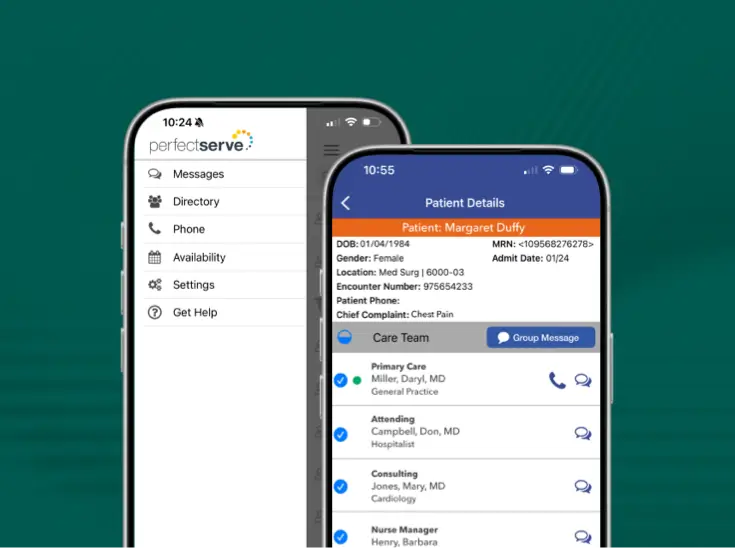
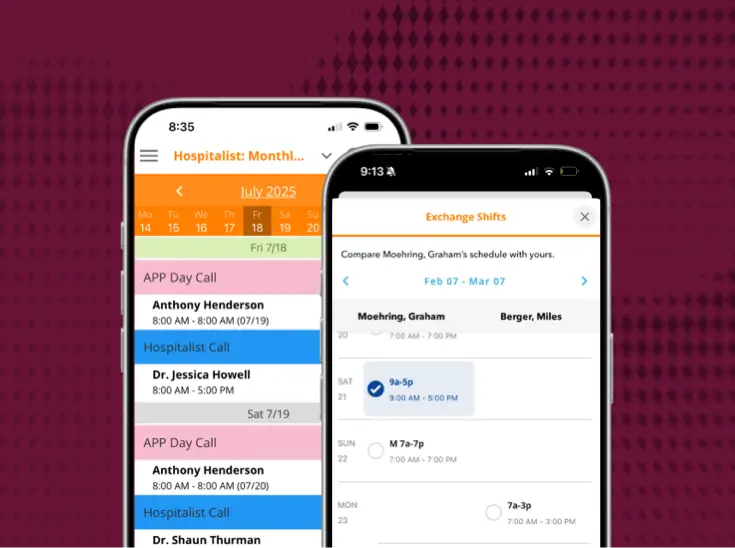
PerfectServe is a clinical communication and collaboration and scheduling platform built for hospitals and medical practices that need more than just a messaging app. Built on the belief that a real-time schedule should always drive communication workflows, PerfectServe combines secure messaging, shift and on-call scheduling, and intelligent routing to ensure messages automatically reach the right clinician at the right time.
By routing every message based on who is actually on call, PerfectServe helps health systems improve communication accuracy, reduce delays, and streamline care coordination.
Key Features
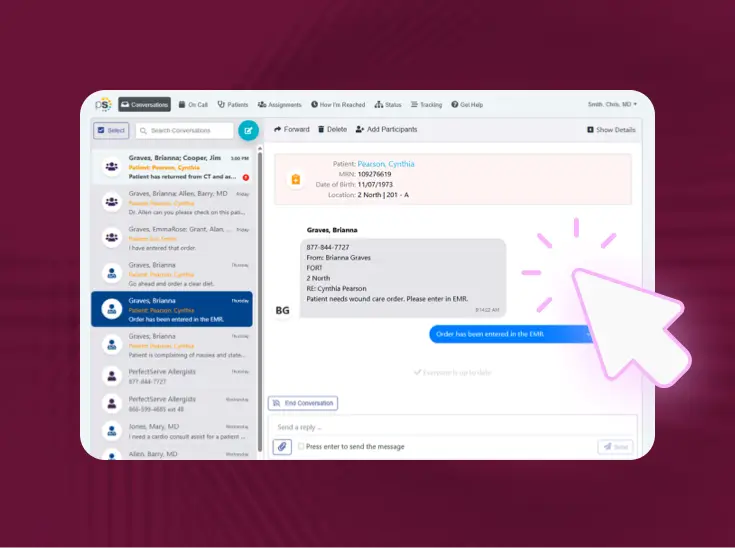
- Dynamic Intelligent Routing: Messages route automatically to the correct on-call clinician based on variables like real-time schedules, roles, message urgency, date, time, and escalation rules with no manual intervention required.
- HIPAA-Compliant Voice, Text, and Video: Secure communication across all channels with encryption that meets healthcare compliance requirements. Enable collaboration between care team members while maintaining patient privacy protection.
- Care Team Alerts: Notify care teams about patient updates or events with coordinated messaging. Improve care coordination and prevent communication gaps that could compromise patient safety or treatment continuity.
- EHR-Embedded Messaging: Communicate directly within your EHR without switching between applications. Streamline workflows and reduce documentation time, allowing healthcare providers to focus more on patient care.
- Message Escalation: Automatically escalate unanswered messages to backup providers based on protocols. Ensure communications never go unaddressed, reducing the risk of missed patient needs.
- Emergency Alerts and Mass Notifications: Send alerts to entire teams instantly across multiple devices and communication channels. Ensure information reaches all staff simultaneously during emergencies, reducing response times and improving coordination.
Best For
Hospitals, health systems, and medical practices that want more efficient and reliable clinical communication and care team coordination powered by a sophisticated rules engine.
Pros
- Multifunctional, cloud-based platform that offers clinical communication, optimized provider scheduling, operator console, mass notification, patient engagement, and practice communication functionality.
- Faster care team communication, including both clinical and non-clinical users. Customers report significant time savings across daily clinical communication workflows.
- 270+ integrations with key clinical systems, including EHRs, nurse call and alerting systems, pager networks, lab and radiology systems, telephony providers, and more.
- Scales from single practices to multi-site health systems.
- Drives a range of impactful outcomes, from faster acknowledgement of critical lab results to shorter wait times for patients to time and money saved from more efficient communication.
Cons
- Feature depth can add complexity.
- The initial setup takes longer than lighter-weight tools, given the degree of customization involved.
Pricing
Custom pricing available.
2. TigerConnect
TigerConnect replaces pagers and fragmented tools with one HIPAA-compliant platform. Hospitals use it for secure messaging, role-based routing, and clinical workflows across most departments and care settings.

Key Features
- Staff can search and message the right clinician by role, without needing a first or last name.
- CareConduit routes EHR alerts, consults, and other events to the right role and escalates automatically when a request goes unacknowledged.
- Care teams can attach patient records from the EHR directly inside a conversation to reduce errors and speed up decisions.
- TigerConnect Transfer handles bed sourcing, transport scheduling, and team communication in one place.
Best For
Hospitals and health systems that need secure, role-based clinical communication at scale.
Pros
- Fairly straightforward deployments, with compatibility across iOS, Android, and desktop.
- Improved communication reliability, with fewer missed alerts and more dependable message delivery.
- Proven operational results, including faster call-backs, fewer overhead pages, and reduced costs.
Cons
- Some customers have reported that new functionality, like AI-enabled scheduling, doesn’t necessarily work as promised.
- Other customers have reported that quality of support is inconsistent.
- Performs well in straightforward deployments but loses effectiveness as workflow complexity increases. Organizations with layered scheduling, multi-site coordination, or custom escalation logic tend to outgrow it.
Pricing
Custom pricing available.
3. Vocera (Stryker)
Vocera (now part of Stryker) is purpose-built for care teams in sterile and high-acuity environments where picking up a phone isn’t practical. Just say a name, role, or group, and the badge connects the call. No phone needed and works under full PPE.

Key Features
- Clinicians use voice commands on wearable badges. No smartphone required at the bedside.
- Secure messages, voice calls, and clinical alerts across one compliant platform.
- Connects with EHRs and hospital systems to surface patient context on clinician devices.
- Reach colleagues by role, group, or name without a directory lookup.
Best For
OR, ICU, and high-acuity teams that need hands-free voice communication during active patient care.
Pros
- Hands-free communication improves mobility and efficiency in OR and ICU environments.
- Strong integration with hospital and alert systems.
Cons
- Hardware devices increase deployment and maintenance costs compared to software-only platforms.
- Staff training and adoption can be a challenge, particularly in facilities with mixed device environments.
- Most Vocera deployments are badge-only and limit flexibility for teams that also need smartphone-based communication.
Pricing
Custom pricing available.
4. Spok
Spok is built for hospitals that haven’t fully moved away from paging and may not need to. It runs a nationwide paging network alongside modern secure messaging, making it a practical option for facilities managing a hybrid communication environment.

Key Features
- Automated clinical alerts route lab results, code calls, and consults to the right clinician.
- Centralized enterprise directory with role-based contact lookup.
- Spok’s own nationwide paging network operates independently of cellular or Wi-Fi.
Best For
Hospitals with existing pager infrastructure that need secure messaging and clinical alerting functionality.
Pros
- Reliable paging and alerting infrastructure.
- Comprehensive directory makes it easy to locate clinicians.
Cons
- Spok has an on-prem secure messaging setup, which adds infrastructure overhead and ongoing IT resources to maintain.
- Integration with newer clinical systems can require meaningful IT involvement. In some instances, integration with other systems may not be possible.
Pricing
Custom pricing available.
5. symplr Clinical Communications
symplr connects physicians, nurses, and staff on one HIPAA-compliant mobile platform. It’s designed to reduce coordination gaps across shifts, settings, and specialties without requiring staff to manage multiple tools.

Key Features
- Message any role directly; no name or directory needed since messages are delivered by role and availability.
- One tap activates full care teams during emergencies.
- Connects with electronic health records, nurse call systems, and other hospital technologies.
Best For
Health systems need role-based messaging and critical alerts on one mobile platform.
Pros
- Has strong core communication functionality for most care team members.
- symplr has other workforce management tools that can be beneficial when paired with their clinical communication platform.
Cons
- Doesn’t have as many secondary features, especially related to patient-facing communication.
- Some users have reported inconsistent training and support from the vendor.
Pricing
Custom pricing available.
6. Mobile Heartbeat (MH-CURE)
MH-CURE consolidates messaging, voice, alerts, and live patient context inside one application without requiring staff to switch between tools mid-workflow.

Key Features
- Messaging, voice, alerts, and clinical data in one application.
- Clinicians message and call without switching apps.
- Urgent notifications reach the assigned team member directly.
- Connects with hospital systems to surface patient context inside communication workflows.
Best For
Hospitals (especially those in the HCA universe) that need role-based clinical communication with live patient context on personal smartphones.
Pros
- Comprehensive mobile communication platform with strong clinical integrations.
- Handles the full range of hospital communication needs inside one application.
Cons
- Some users have reported limited end-user control for things like messaging and alerting notifications.
- Mobile Heartbeat is wholly owned by HCA Healthcare, which may limit its availability, roadmap priorities, and support responsiveness for organizations outside the HCA network.
Pricing
Custom pricing available.
7. QliqSOFT
QliqSOFT combines clinical team communication with patient-facing engagement tools. Messages are never stored on devices. Works across hospitals, home health, and hospice settings.

Key Features
- Encrypted text, voice, and video communication for care team communication.
- View and manage schedules with communication routing based on availability.
- Chatbots automate patient intake, follow-ups, and more routine communication workflows.
- Video consultations within the same platform used for daily messaging.
Best For
Organizations spanning at-home, inpatient, and outpatient care that want secure messaging plus patient outreach in one app, without needing heavy acute-care workflows like alarm management.
Pros
- Users say it works like normal texting with added security.
- Customer support is responsive, and bug fixes are followed up with direct phone calls.
Cons
- Less depth on clinical routing and escalation compared to platforms built specifically for internal hospital communication.
- Can’t integrate with PBX systems.
- Some users have reported consistent glitches even with version updates.
Pricing
Custom pricing available.
8. OnPage
OnPage ensures critical clinical alerts never go unanswered. It automates on-call routing, escalation, and secure messaging, so hospitals respond faster and no urgent message slips through.

Key Features
- Overrides silent mode and DND; alert rings until acknowledged.
- Digital schedules automatically route alerts to whoever is on call.
- Alert moves to the next person automatically if there is no response.
Best For
Hospitals and on-call teams where a delayed alert directly risks patient safety.
Pros
- Intelligent alerting workflows allow alerts to reach the right clinician.
- Vendor makes it easy for organizations to build custom workflows and integrations.
- Allows for real-time visibility of schedules.
Cons
- AI functionality is more rudimentary than other competitors.
- Doesn’t offer video visit functionality.
Pricing
Starts at $13.99/user/month.
9. Spruce Health
Spruce puts phone calls, texts, faxes, secure messaging, and video visits in one HIPAA-compliant app. Small practices and clinics may be able to use it to replace 4-5 separate tools.

Key Features
- Phone, SMS, secure messaging, and telehealth in one application.
- Clinicians and patients exchange messages, images, and documents inside one thread.
- Call routing, voicemail transcription, and multiple lines built in; no separate phone vendor is needed.
Best For
Clinics and smaller practices that need a unified communication system without the complexity of an enterprise platform.
Pros
- Setup starts quickly. Business lines and messaging become live almost instantly.
- Reliable, and practices call it the most dependable tool they use.
Cons
- Integration with external clinical systems can be limited.
- Complexity scales poorly beyond clinic use cases.
Pricing
Starts at $24/user/month with a 14-day free trial available.
10. Hypercare
Hypercare replaces pagers with secure clinical messaging, on-call scheduling, and code team activation.

Best For
Hospitals replacing pagers that want secure messaging and on-call scheduling functionality in one app.
Pros
- Purpose-built for hospital communication workflows.
- Practical entry point for hospitals looking to retire pager infrastructure.
Cons
- Limited feature set and geographic range compared to more established clinical communication vendors.
- Some users report that it’s easy to lose track of important discussions as newer messages and group chats appear.
Pricing
Starts at $8/user/month, with a free trial available.
Why Is PerfectServe the First Choice for Healthcare Teams?
Most clinical communication tools treat messaging and scheduling as separate systems. That split leaves a gap between who’s actually on call and who receives the message, and that gap is where handoffs stall, alerts misfire, and care gets delayed.
PerfectServe closes the gap by integrating scheduling and communication. With one platform, secure messaging, provider and staff scheduling, the operator console, and a medical answering service can all draw from the same real-time data. When a shift changes, routing updates across the platform automatically; no manual edits, no outdated call lists, no message sent to the wrong clinician. Every provider stays reachable through every shift, without anyone maintaining a separate system to make it happen.
That unified design also replaces the patchwork of point tools most organizations stitch together. PerfectServe can consolidate up to 14 other fragmented systems into a single platform, which lowers IT overhead and removes the manual bridging work that introduces errors in the first place.
The outcomes show up where they matter. Organizations using PerfectServe report response times up to 73% faster and 99% fewer overhead pages. Allegheny Health Network reduced average door-to-needle time by 10 minutes across its telestroke network, and Munson Healthcare retired roughly 40% of its pagers (about 600 devices) for an estimated $120,000 in annual savings.
Ready to see the difference for your team? Explore the platform or book a demo.
Latest news from PerfectServe




.jpg)




.png)





Bring us the workflow that [hurts most]
We'll show you how it runs on PerfectServe, with your teams, your sites and your EHR.