



Healthcare Contact Center Top Challenges: How to Solve Them

Healthcare call centers act as the central point of access for referring providers, patient transfers, and even patient calls.
Most call centers in the healthcare world are based on legacy, on-prem hardware and software that are familiar solutions to operators and decision-makers. Unfortunately, these solutions come with a number of built-in challenges and frustrations that are either exceedingly difficult or impossible to solve. But because you’ve dealt with them for so long, these unnecessary limitations may almost feel normal.
Top Challenges in the Healthcare Call Center
On-prem call center technology is reliable and offers features and capabilities that work as expected, but how many of these challenges do you notice in your daily workflows?
1) Long wait and hold times in the healthcare contact center
Though a slight wait is necessary at times in contact centers, do patients or referring clinicians complain about wait or hold times that are frequently way too long? How often does the operator’s queue build up and cause delays in patient care? These frustrations can cause a spike in both patient and referral leakage, so it’s essential to prevent them in the first place.
2) Frustrated healthcare contact center operators
Operators and call center staff are a crucial part of getting calls to the right place at the right time, but how often does your organization experience operator turnover? Maybe they’re not fond of your call center technology’s clunky interface or the intimidating number of windows they have to keep open to accomplish common daily tasks. Is there anything your call center technology could offer that would make their jobs easier and their workflows more efficient?
3) One-way messaging in the hospital contact center
Though your call center likely allows messaging out to clinicians, can clinicians respond? What if they have a question? How much time would it save if you could enable two-way messaging? And when messages are sent, it’s essential to know where they’re going, when they’re delivered, and whether or not they’ve been read. How reliable is your messaging system, and is disjointed communication preventing or delaying patient care or transfers?
4) Siloed communication channels in the contact center
How often do you/your operators switch tabs or solutions during calls? Do your operators feel the heavy weight of click fatigue? When an operator is trying to locate the right person to answer a call, they shouldn’t have to click and drag through multiple panes and tabs. How would a single-pane-of-glass experience—where all functionality is accessible from one window—expedite these workflows?
5) Weak healthcare contact center integrations
Even if other key solutions like the schedule or clinical directory are accessible, how easy are they for operators to see? How often are operators struggling to find the right schedule to ensure inbound messages get to the correct clinician?
From Hospital Switchboard to Operator Console
Legacy contact center technology is based on outdated on-prem technology, which is reliable when all things are operating as expected. But in the case of needed updates, power outages, or unexpected emergencies, these contact centers are inflexible and quickly become a barrier to speedy care delivery.
They also lack the ability to integrate with other key IT and clinical systems, and their age alone poses notable healthcare cybersecurity concerns. Technology and healthcare have progressed at a faster rate than legacy, on-prem contact centers have been able to keep up with.
https://player.vimeo.com/video/905750245?badge=0&autopause=0&player_id=0&app_id=58479
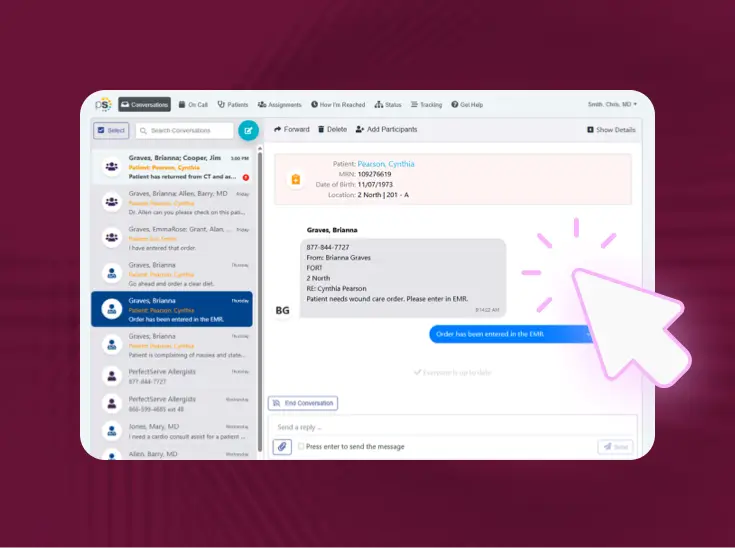
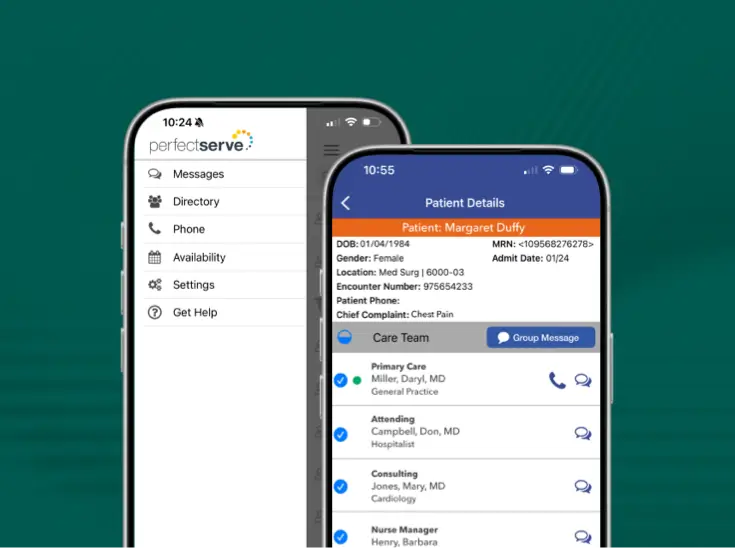
Modern technology has put a new spin on the healthcare contact center. Today, healthcare call center services improve familiar workflows by streamlining the communication of messages from start to finish. This is done through a modern operator console, a cloud- and browser-based replacement for the technology offered by on-prem call center vendors.
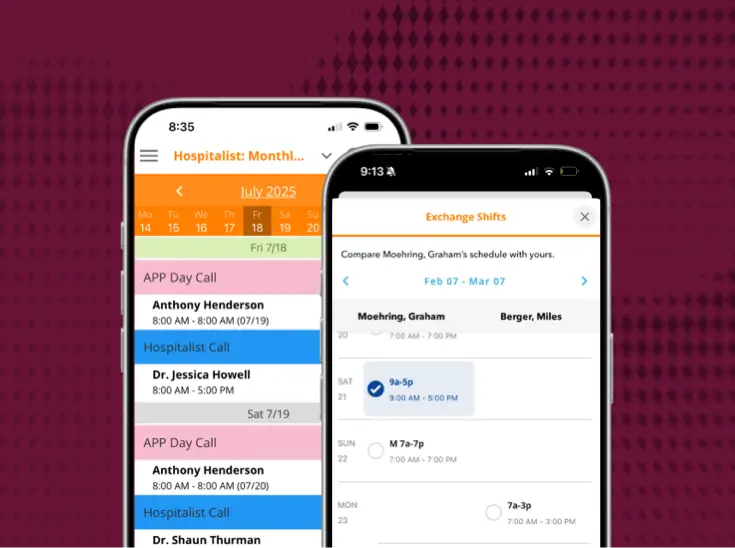
The operator console promotes efficiency by making the call management process faster and simpler. It allows the operator's workflow to take place in one window and integrates with other essential software, such as a physician and staff scheduling platform, to make workflows that much faster.
As a cloud-based solution, this is truly “always-on” software that allows operators to work from any location. In short, common issues caused by legacy software are replaced with fresh technology and more intuitive workflows that empower operators to streamline inbound calls.
Let’s look a bit deeper into how a modern operator console facilitates more efficient calls that accelerate the speed of patient care.
Key Features of the Operator Console
The operator console is designed to provide operators with a more efficient call management experience. The cloud-based operator console offers the following features:
https://player.vimeo.com/video/829535661?badge=0&autopause=0&player_id=0&app_id=58479
Operator Console Use Cases
Clinical Use Case Examples
Seamless Connections for a Direct Admission
Jack has been admitted to a rural hospital after falling at his home. Through X-rays and other testing, it’s determined that he needs to be transferred to another hospital where he can have orthopedic surgery to repair his hip. After the orders were placed and the transfer was initiated, Jack’s nurse at the rural hospital, Carla, needed to call a report to the nurse on the orthopedic floor at the new hospital.
Carla calls into the contact center at the receiving hospital, where the operator is able to search the clinical directory for the receiving unit’s charge nurse, Nichole. Carla fills Nichole in with the patient’s details before prepping the patient to be transferred.
Results: Simplified transfer process, improved care continuity across locations, better patient experience, timely call resolution, and ease of use for clinicians and operators.
Improved Collaboration Through Advanced Operator Console
Roberta went for a stress test Tuesday morning, where it was decided she needed a heart cath STAT. Dr. Kim, Roberta’s cardiologist, performs the heart catheterization, but during the procedure, Roberta’s condition becomes critical. Dr. Kim decides she needs a balloon pump and to be placed on a vent.
Dr. Kim calls the hospital contact center in hopes of connecting with the cardiothoracic (CT) surgeon on call to discuss Roberta’s admission, surgery, and condition. The operator is able to seamlessly connect Dr. Kim with the CT surgeon on call thanks to an integration with the clinical directory and scheduling system. The operator also patches in a third collaborator, the OR scheduler, to get Roberta on the schedule for a cardiac bypass.
After hanging up, the operator couldn’t remember some of the details from the discussion. To confirm his memory, he’s able to reference the notes he took and access a call recording to listen to the call. Roberta is quickly placed in a bed in the cardiac intensive care unit, where she receives care in a timely manner and is placed under observation as she awaits surgery.
Results: Faster care delivery, good clinician and operator experience, auditable communication trail, and timely call resolution.
Operational Use Case Examples
Operators Work from Anywhere
Janet, an operator, is used to working her role at her local hospital. One morning, she wakes up to find a tree has blocked the exit of her driveway, leaving her unable to drive to work. If the hospital had a legacy, on-prem solution in place, her team would simply be down an operator that day.
Thankfully, Janet can work from home while the tree is removed later in the day. Thanks to the cloud-based technology in her hospital’s contact center, she can take and transfer calls from home and message physicians as if she was physically at the hospital without skipping a beat. All functionalities that are available in the contact center are available at her fingertips from the comfort of her own home.
Results: Disaster-proof work model, uninterrupted patient care, and positive operator experience.
Combating Operator Turnover
Darnell has worked in the hospital contact center for nearly 16 years, and throughout that time, the technology he’s used hasn’t changed much; he's used to working with multiple screens and across various tabs. He knows the schedules will be faxed in the mornings and has a routine of making copies of the schedule for other operators. He even knows some of the physicians’ pager numbers by heart, as well as common department extensions.
Darnell is nearing retirement but has been tasked to train the newest recruit, Miles, on the legacy platform his hospital uses. Miles is overwhelmed by the outdated technology. He’s trying to understand the pager workflows Darnell is used to, but he is often confused by the multiple versions of the printed schedule and the specialized keyboard. Darnell can tell how frustrated Miles is and is worried he may quit soon.
With modern technology in place, Miles would thrive. Darnell—as well as other members of the contact center team—knows this. He’s seen the contact center go through a high number of new recruits who’ve been thrown off by the outdated technology, and he wonders how a cloud-based solution with more modern and user-friendly workflows might attract younger talent and mitigate high turnover rates.
Results: High operator turnover, outdated technology burden, and frustrated operators.
Best Operator Console for Healthcare Organizations
PerfectServe’s Operator Console is the replacement for legacy healthcare contact centers. It allows your organization to implement a virtual call center model that optimizes resources, attracts operators and staff, and enhances the caller experience.
Operator Console:
Our healthcare operator console offers the latest in healthcare communication technology and empowers health systems to reduce operator frustration, expedite care delivery, and improve contact workflows from start to finish.
See it working for real teams





.jpg)



.png)




Bring us the workflow that [hurts most]
We'll show you how it runs on PerfectServe, with your teams, your sites and your EHR.