





The Switchboard Blind Spot: What Happens After the Call Ends
Healthcare organizations have spent decades working around the limitations of aging communication tools. Real-time switchboard call transcription proves it doesn’t have to stay that way.

There’s an old routine in hospital switchboard operations that everyone just accepts.
Why? Well, because that’s how it’s always been done! Here's what it looks like:
A call comes in. The caller rattles off a patient's name, a medical record number, a callback number, and a complex request involving an on-call subspecialist. The operator listens intently, fingers flying across a keyboard or scribbling on a scrap of paper, trying to catch every vital detail before they forget.
Sometimes static, background noise, or a hurried tone makes a callback number impossible to catch cleanly. When that happens, the operator has to break flow and ask the caller to repeat themselves.
It’s a minor friction point, but multiplied across thousands of calls a day, it adds up and drags productivity down, not to mention caller trust and operator confidence.
But the real trouble begins after the call ends.
Audio Recordings Weren't Built for Speed
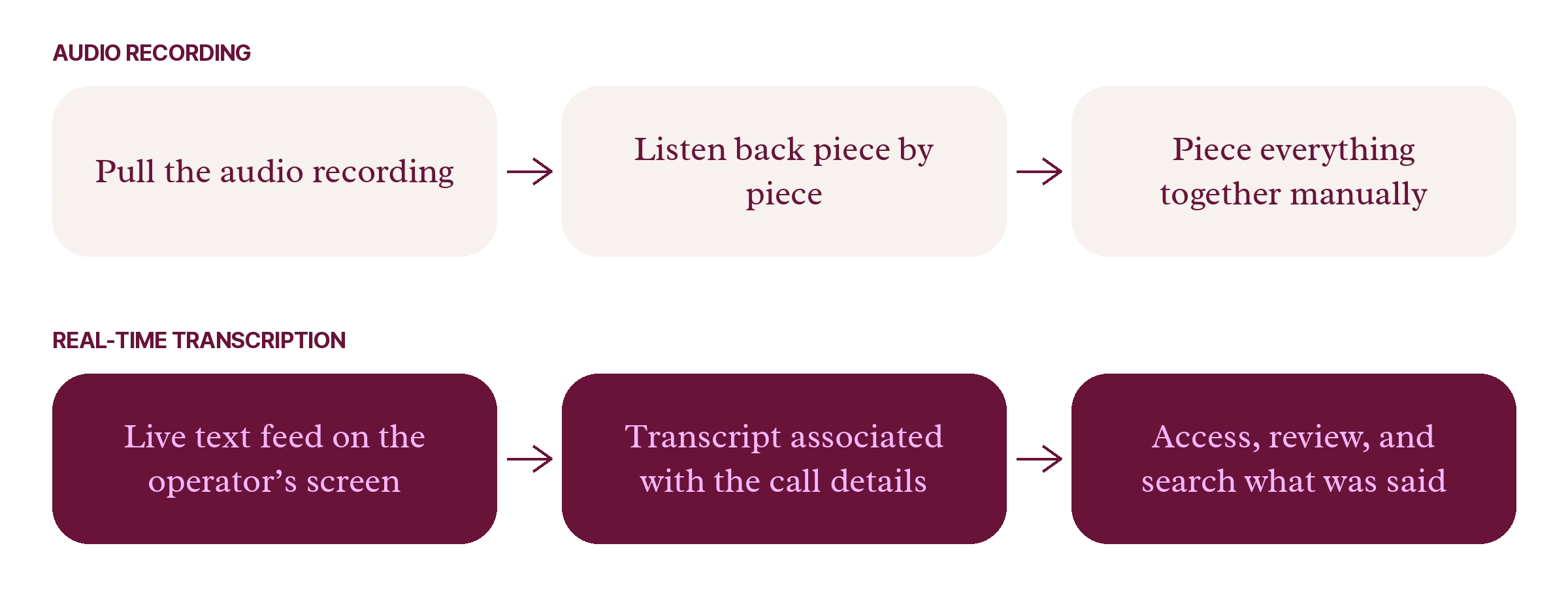
Traditionally, if a team ever needed to review what was said on a call, they couldn't just scan a clean, searchable text record. They had to pull the audio recording, listen back word by word, and try to piece everything together manually.
That costs operator time, and it costs healthcare organizations money.
When speech-to-text and live transcription services are already so ubiquitous across multiple industries, relying solely on raw audio review is an inefficient, outdated process. Healthcare communication should be no different.
Hospital Operators Work Differently
Switchboards aren’t just handling routine retail queue check-ins or standard tech support calls.
A single inbound conversation can involve critical patient safety data, urgent care team activations, or complex provider routing across multiple facilities. Operators may be listening to the caller, capturing information, navigating directories, and finding on-call clinicians all at the same time.
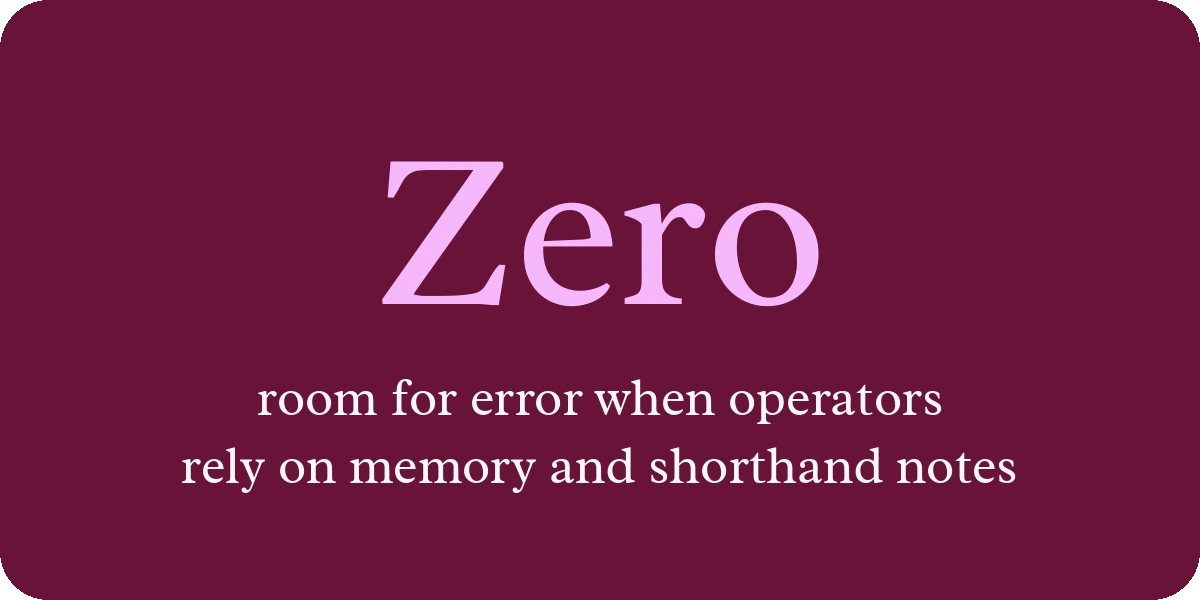
Without a live text reference, they have to rely entirely on memory and frantic shorthand notes while managing the live call. That leaves zero room for error yet introduces plenty of exposure when details get blurred or misheard.
While other industry solutions (like Amtelco) may offer transcription as a standalone or adjacent capability, real-time transcription hasn’t been woven directly into the core operator workflow. Spok doesn't offer live call transcription either, leaving a major gap in competitive evaluations and daily switchboard routines.
So, why are hospital operators still forced to rebuild these conversations from memory or recordings when technology can capture it for them?
Real-Time Transcription Meets the Workflow
That’s exactly why we built Real-Time Call Transcription for Operator Console.
Instead of treating transcription as an afterthought or a separate application, we integrated it directly into the live operator workspace. As a call comes in and the conversation unfolds, live audio is converted into a clean, running text feed right on the operator's screen.
Operators can instantly look back at what was said during the live call. Need a callback number or an MRN that was spoken too quickly? Instead of asking the caller to repeat themselves or hoping they guess right, the operator can easily reference the live feed or copy details directly into their workflow.
Empowered with a complete visual record in real time, operators gain confidence that they have everything at their disposal to handle calls accurately and efficiently.
From a Call Recording to a Searchable Record
The utility of transcription doesn’t disappear when the call is disconnected.
Once a call ends, the completed transcript is automatically assembled and associated with the call details. Supervisors and administrative teams can easily access, review, and search what was said without digging through clunky audio files.
That alone cuts out hours spent scrubbing audio tapes. It gives teams a cleaner way to handle post-call review, reduces compliance risk when a conversation gets questioned later, and turns an ordinary switchboard into a true patient command center.
That same native transcription foundation is built to power future capabilities down the road, including things like agent assistance, translation, sentiment analysis, and post-call automation.
Future-Proofing Your Switchboard
Healthcare organizations have spent decades working around the limitations of aging communication tools. Real-time transcription proves it doesn’t have to stay that way.
By turning live conversations into visible, actionable text, we're giving operators the ultimate tool set to be as effective, confident, and accurate as possible. When patient safety depends on every single word, capturing everything while the call is happening makes all the difference.
See how real-time call transcription can transform your operator console today.
See it working for real teams












Bring us the workflow that [hurts most]
We'll show you how it runs on PerfectServe, with your teams, your sites and your EHR.