





Lightning Bolt’s Viewer Interface Overview
See how the Lightning Bolt viewer lets providers check schedules, request time off and swap shifts from any device.
https://vimeo.com/951659815?share=copy
Learn more about PerfectServe's Lightning Bolt Scheduling viewer interface
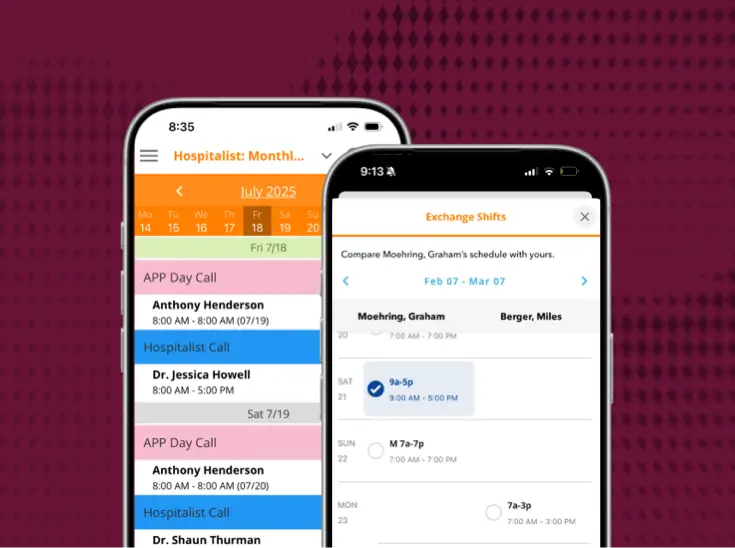
View real-time schedules and make time-off requests from one centralized location on any device, anywhere, anytime. Lightning Bolt’s new viewer interface is compatible with your mobile phone, desktop or tablet, which means you can access all of Lightning Bolt’s time-saving features on the go, in the office, and at home. Here are just a few of the many benefits of Lightning Bolt’s new viewer interface:
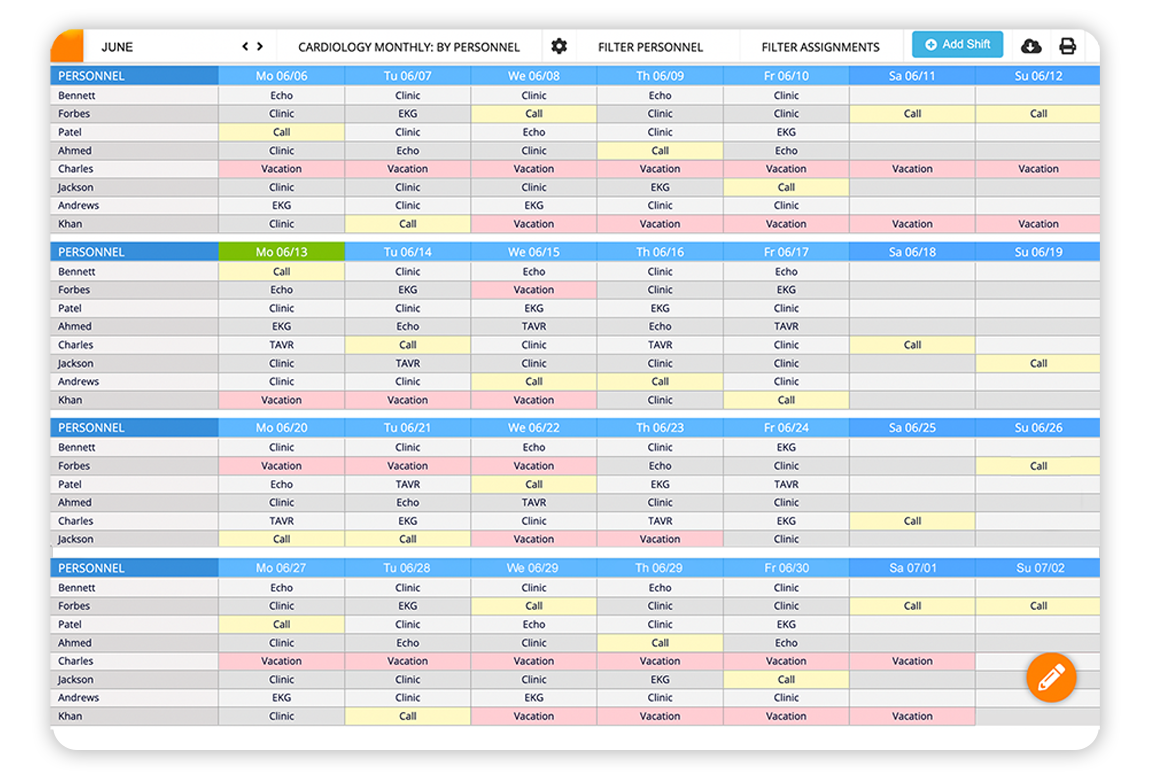
- Access information you need quickly, like today’s on-call schedule, with Viewer’s simple, minimalist design.
- Manage and submit time-off requests and shift swaps with coworkers in a centralized location.
- Create a "swaportunity!" Notify multiple providers of your team all at once to request shift coverage from anywhere.
- Call, email, or text any team member on the schedule directly from your mobile device, tablet or desktop.
- Log in only once with new persistent sessions.
- View personal and group schedules.
- Easily complete bulk changes on the schedule.
Providing these features on the go is all part of Lightning Bolt’s mission to make optimized provider scheduling as simple and convenient as possible for our clients. We also think ease of use goes a long way in helping hospitals, small practices, and other healthcare organizations improve workflows, communication, and ultimately productivity. Reducing the time it takes to complete administrative tasks like shift swaps, time-off requests, and other schedule management items frees up time for teams to focus on on what really matters: supporting patient care.
Want to learn more about how your organization could benefit from Lightning Bolt’s optimized provider scheduling? Learn more about how Lightning Bolt Solutions looks at every possible scheduling outcome to deliver the best possible physician and staff schedule for your team here. Plus, see the results Lightning Bolt has provided our clients and can deliver for your organization here.
More news from PerfectServe






.jpg)





.png)







Bring us the workflow that [hurts most]
We'll show you how it runs on PerfectServe, with your teams, your sites and your EHR.