




Improving Call Center Workflows with PerfectServe’s Cloud-Based Operator Console
A Midwest healthcare system is home to multiple care facilities and 500-plus employees. Its main hospital center includes a critical access hospital and a skilled nursing facility.

Background
A Midwest healthcare system is home to multiple care facilities and 500-plus employees. Its main hospital center includes a critical access hospital and a skilled nursing facility.
Challenges
This healthcare system was using an on-premise solution to facilitate clinical communication and hospital call center workflows. Operator staff found the software to be frustrating to use—it required excessive training time and had frequent technical problems. But even with one-on-one training, the legacy system still proved difficult, requiring staff to create and maintain a daily on-call schedule for clinicians. When that daily call schedule was incorrect or changed suddenly due to an emergency, staff had to manually check directories and code lists while playing phone tag to get messages and alerts to the right providers. The process for looking up individual on-call and work schedules was time consuming, and schedules were often full of inaccuracies, which meant messages and calls were commonly sent to incorrect providers.
Solution
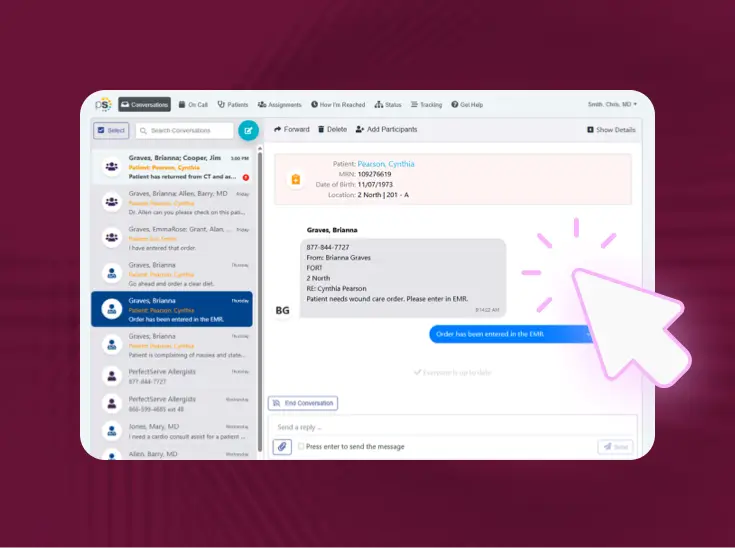
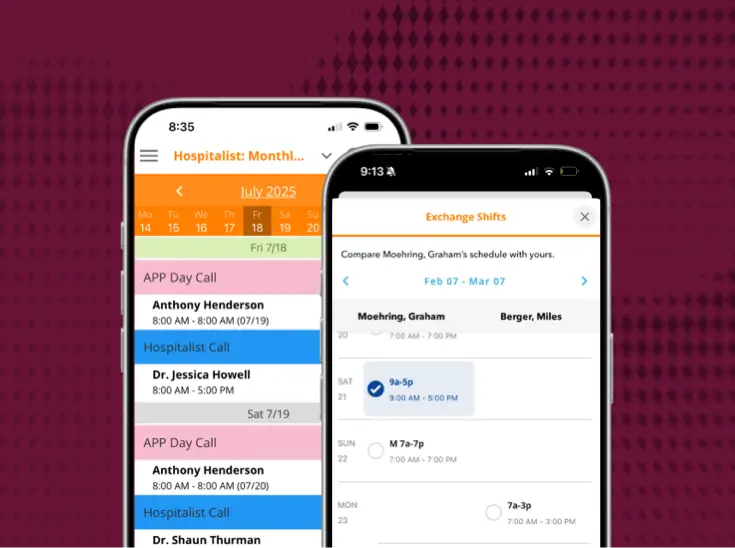
The organization wanted to enhance its communication and call center capabilities with a modern, cloud-based solution that would remedy the poor support, frequent technical issues, and limited functionality they experienced with their existing on-premise solution. As a result, the hospital implemented PerfectServe’s Operator Console to serve as the source of truth for clinical communication. Call center agents now use this platform to accept calls, send messages, see who’s on call, or transfer calls to users or other groups within the PerfectServe ecosystem.
The intuitive, interconnected nature of PerfectServe also helps to reduce agent toil. All inbound calls are queued up automatically, and agents can easily look up the correct point of contact based on schedules that have been ingested. They can then use the recipient’s preferred communication modality (mobile phone, home phone, pager, text message, etc.) based on the time of day and day of week. The modern user interface makes navigation simple, and the system allows agents to leverage integrations with all the tools they need to do their jobs in one spot.
With all of these advantages, PerfectServe’s call center console promotes reduced average call handle time (the amount of time agents spend on each call), increased call throughput, better care team connectivity, and great experiences for patients with a higher likelihood of achieving first call resolution (FCR).
Results
Real-Time Schedule Management
- Call center staff have access to accurate and detailed provider schedules that are managed in real time
- Staff report a greatly improved communications process thanks to increased schedule accuracy
Time Savings on Code Alerts and Notification Response
- Call center operators no longer have to initiate alert codes manually
- Previously, operators had to look up individuals and call schedules to determine the right contact group for each code alert—this was an error-prone, time-consuming process
- Now that this process is automated, the organization has seen faster response times for code alerts
Customer Service
- Staff now report “top-notch” customer service from PerfectServe—a marked improvement over their previous call center vendor
- 24-hour access to PerfectServe’s Support Center specialists
- Improved turnaround times for fixes and guidance when issues or questions arise
Conclusion
With dated, on-premise technology and subpar customer support from its existing call center vendor, this healthcare organization often experienced delays and other frustrations related to communication and call center workflows. After implementing PerfectServe's call center software, they reported an improved paging process and significantly enhanced communication pathways. In addition, call center staff have noted how much easier it is to get messages to the correct care team member thanks to PerfectServe’s integrated scheduling capabilities. The organization looks forward to more process improvements and even better staff satisfaction as they optimize and expand their Perfectserve footprint.
Discover the latest from PerfectServe






.jpg)



.png)





Bring us the workflow that [hurts most]
We'll show you how it runs on PerfectServe, with your teams, your sites and your EHR.